GeoFoto Copy
Python plugin for QGIS that copies georeferenced photos associated with selected features.
Organizes images into destination folders by code/identifier (e.g., R-1) and displays progress and log information during the process.

Python plugin for QGIS that copies georeferenced photos associated with selected features.
Organizes images into destination folders by code/identifier (e.g., R-1) and displays progress and log information during the process.
GeoFoto Copy is a QGIS plugin developed in Python (PyQt5) that automates the copying of georeferenced photos from a vector layer. It allows users to select features on the map, read file names from a layer field (default: Name), search for those images in a source folder, and copy them to a destination folder organized by plate codes or identifiers.
The plugin displays a progress bar, keeps a detailed log with the status of each file (copied / not found), and saves the used paths in config.ini for future sessions.
At work, we needed to copy specific georeferenced photos that contained certain types of traffic signs. Until then, the process was completely manual — checking the photo name in the layer, finding the file in the source folder, and copying it to the destination, which was time-consuming and error-prone.
To automate this task, I created GeoFoto Copy. With it, we can:
R-1), automatically creating a subfolder if it doesn’t exist;This plugin can also be expanded in the future with features such as:
Name field containing photo filenames.For example, if you have a layer with a Name field containing IMG_001.jpg, IMG_002.jpg, and IMG_003.jpg, and you select two features while running the plugin with plate R-1, it will create the folder destination/R-1/ and copy only the found files, logging which ones were copied and which were missing.

Dialog showing folder selection, code field, progress bar, and log
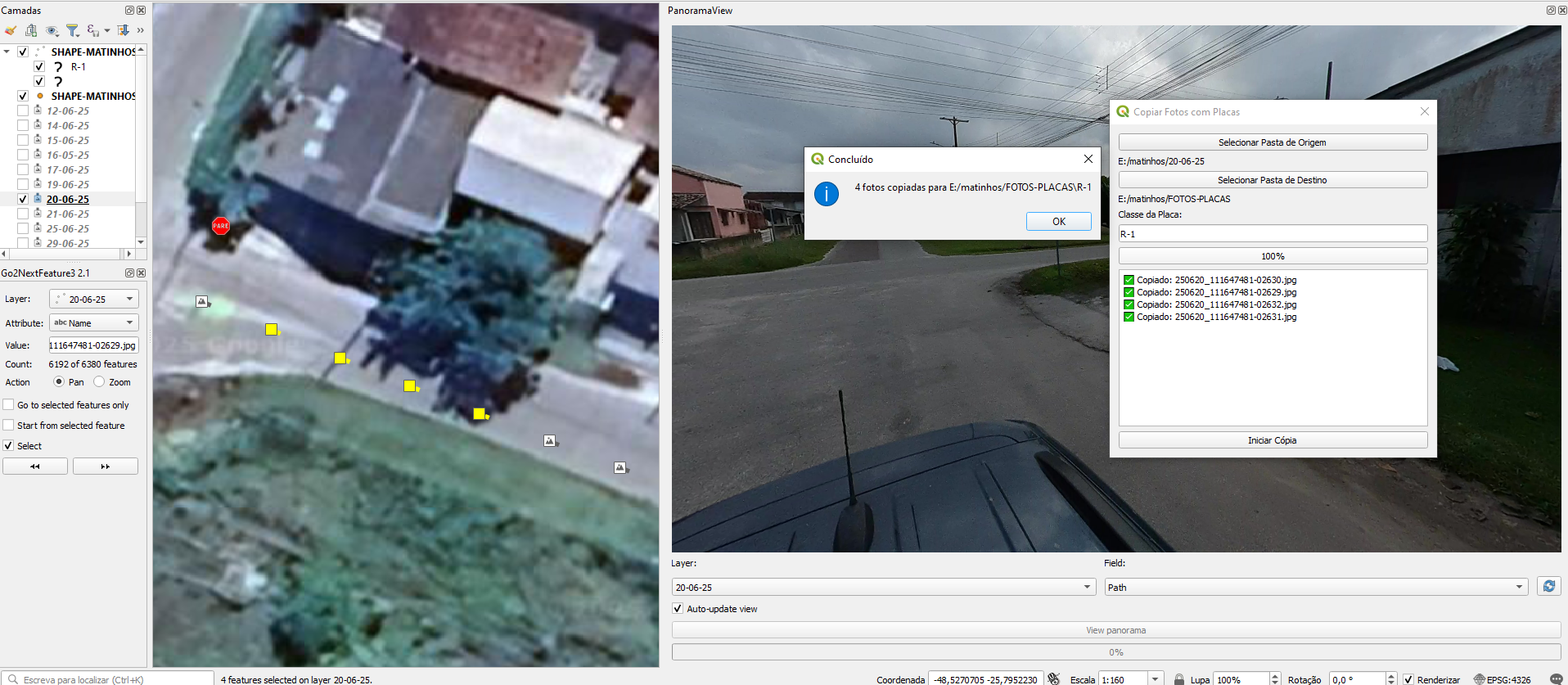
Log displaying copied and missing files
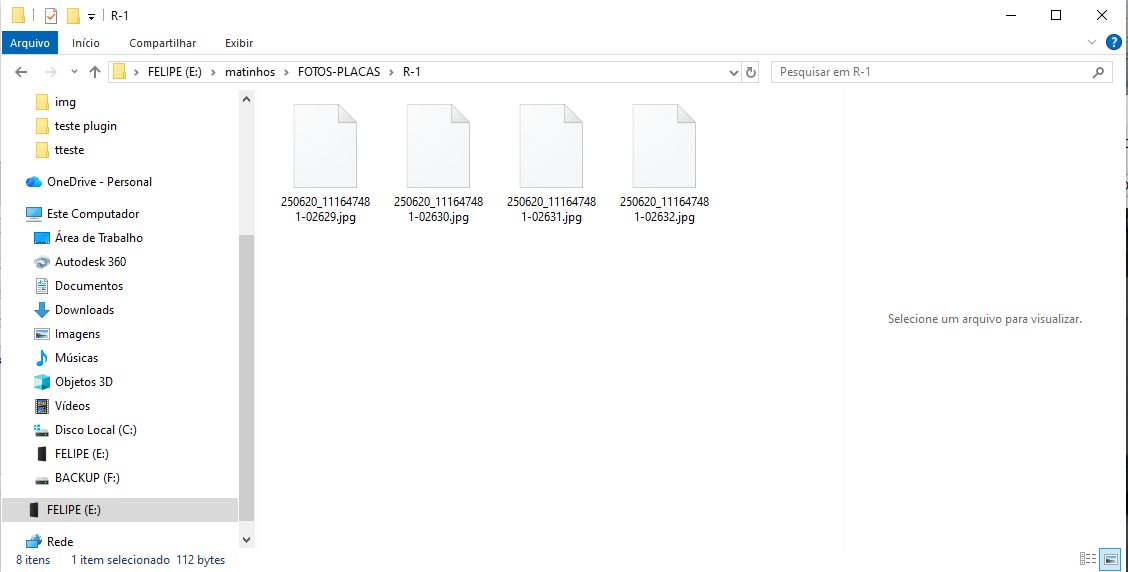
Example of destination folder containing the plate subfolder